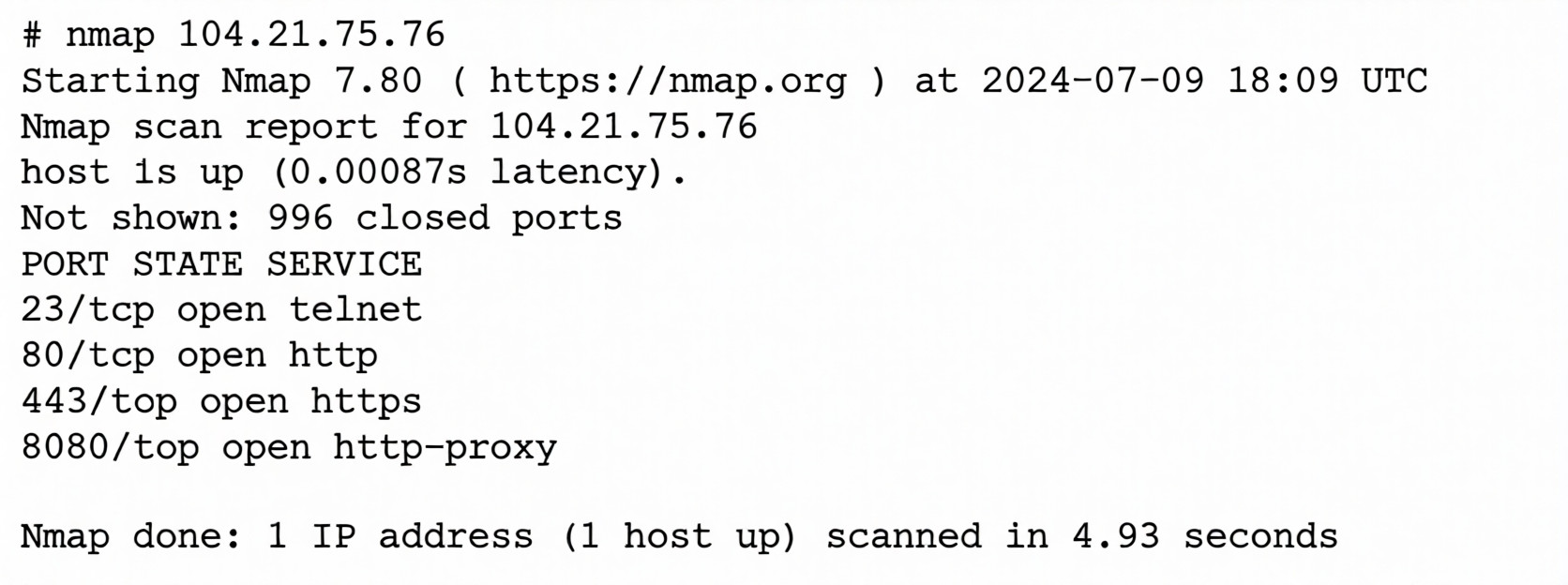
A Linux administrator receives reports that an application hosted in a system is not completing tasks in the
allocated time. The administrator connects to the system and obtains the following details:
Which of the following actions can the administrator take to help speed up the jobs?
Which of the following actions can the administrator take to help speed up the jobs?
Show answerHide answer
Correct answer: B Increase the amount of CPU resources available to the system.
Explanation
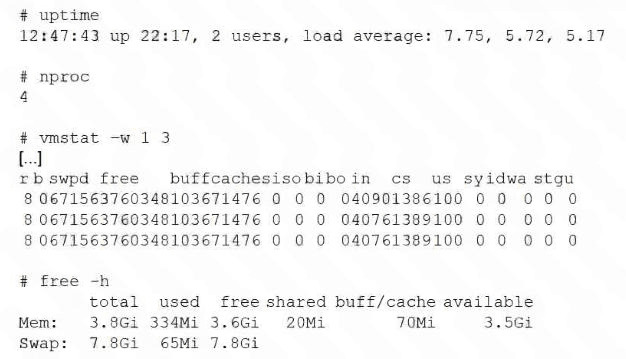
Explanation:The system is experiencing a CPU bottleneck, which is preventing the application from completing tasks on time. We can determine this by looking at three key metrics in the output:
Load Average vs. Core Count:
The uptime command shows a 1-minute load average of 7.75. However, the nproc command shows the system only has 4 CPU cores. In Linux, a load average significantly higher than the number of cores (7.75 > 4) indicates that processes are queuing and waiting for CPU time.
Process Queue (vmstat):
Looking at the vmstat -w 1 3 output, the 'r' column (runnable processes) shows a value of 8. This means there are 8 processes either running or waiting for a CPU cycle. With only 4 cores, at least 4 processes are constantly stalled in the queue.
CPU Utilization (vmstat):
The us (user) column is at 100, and id (idle) is at 0. This confirms the CPUs are fully saturated by user-space applications with zero idle time available.
Increasing CPU resources (adding more vCPUs or upgrading the processor) is the only way to resolve a queue of 8 processes competing for 4 cores.
Explanation of Incorrect Answers
Increase the amount of free memory available to the system:
The free -h output shows that the system has 3.5Gi available out of 3.8Gi total. The system is barely using RAM (only 334Mi used). Adding more memory will not help because the current memory is not being fully utilized.
Increase the amount of swap space available to the system:
The free -h output shows that swap usage is negligible (65Mi used out of 7.8Gi). Furthermore, the vmstat output shows 0 in the si (swap in) and so (swap out) columns, proving there is no memory pressure or swapping activity causing the slowdown.
Increase the amount of disks available to the system:
In the vmstat output, the bi (blocks in) and bo (blocks out) columns are 0, and the wa (I/O wait) column is also 0. This indicates that the system is not waiting on disk operations; the bottleneck is purely CPU-related.
Reference
CompTIA Exam Objective: Domain 5.0 (Troubleshooting) – Subsection 5.2: "Troubleshoot system-related issues" (focusing on CPU, memory, and I/O performance monitoring).
Reference: The Linux Command Line (William Shotts), Chapter 10: Processes; and Official CompTIA Linux+ Study Guide, Chapter on Performance Monitoring and Tuning.