Refer to the exhibit.
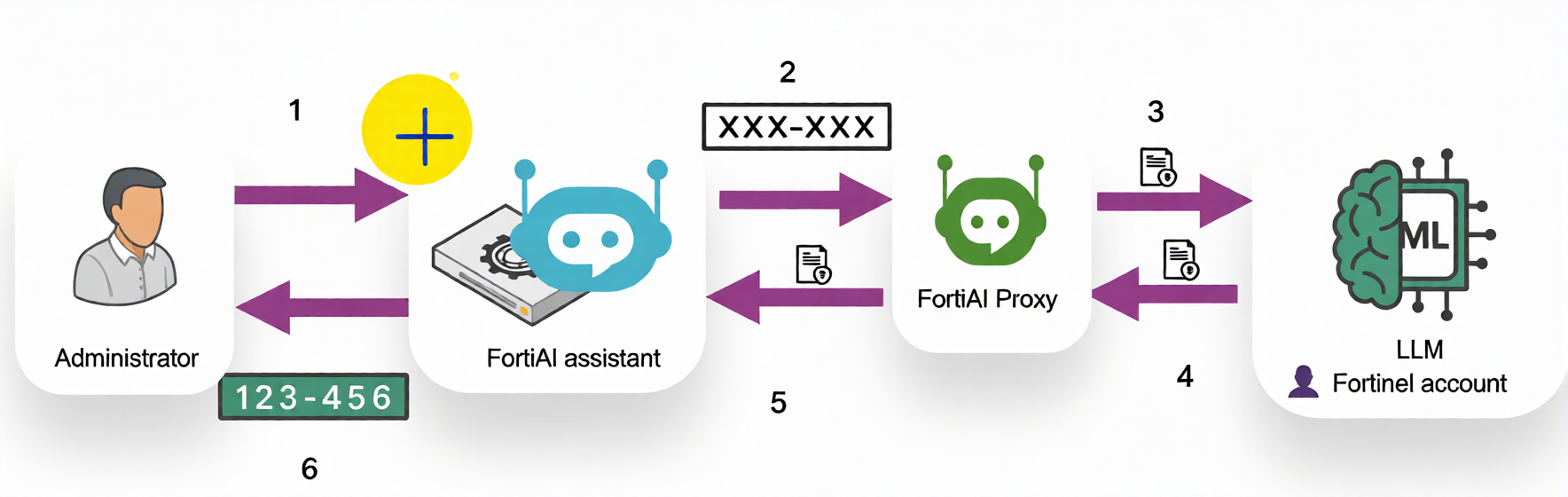
You are a FortiWeb administrator reviewing how FortiAI protects sensitive data when interacting with a large language model (LLM).
Drag each label to the corresponding step in the FortiAI data privacy workflow.
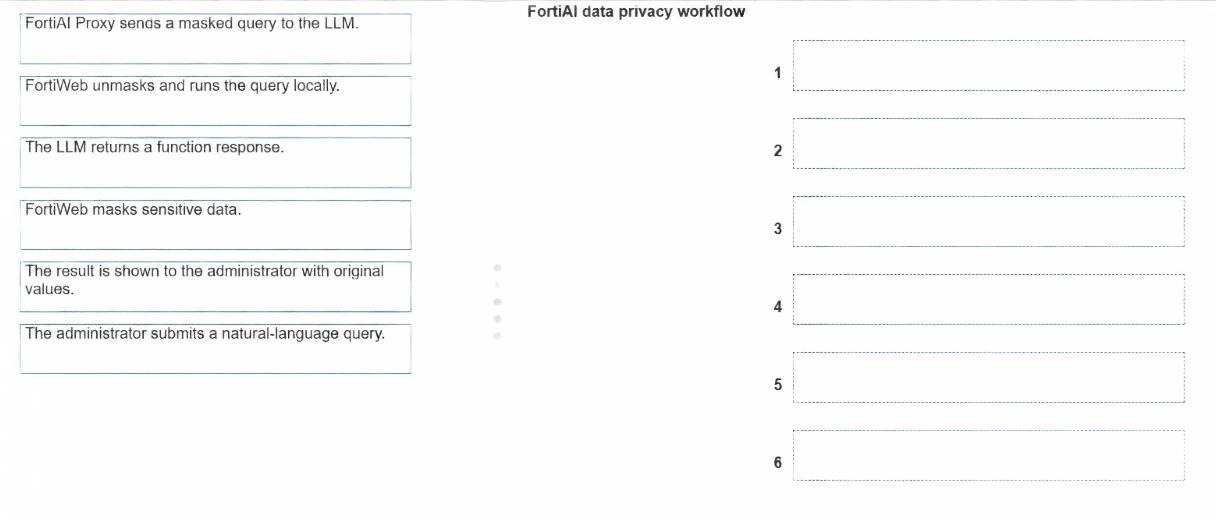
You are a FortiWeb administrator reviewing how FortiAI protects sensitive data when interacting with a large language model (LLM).
Drag each label to the corresponding step in the FortiAI data privacy workflow.
Show answerHide answer
Explanation
Explanation
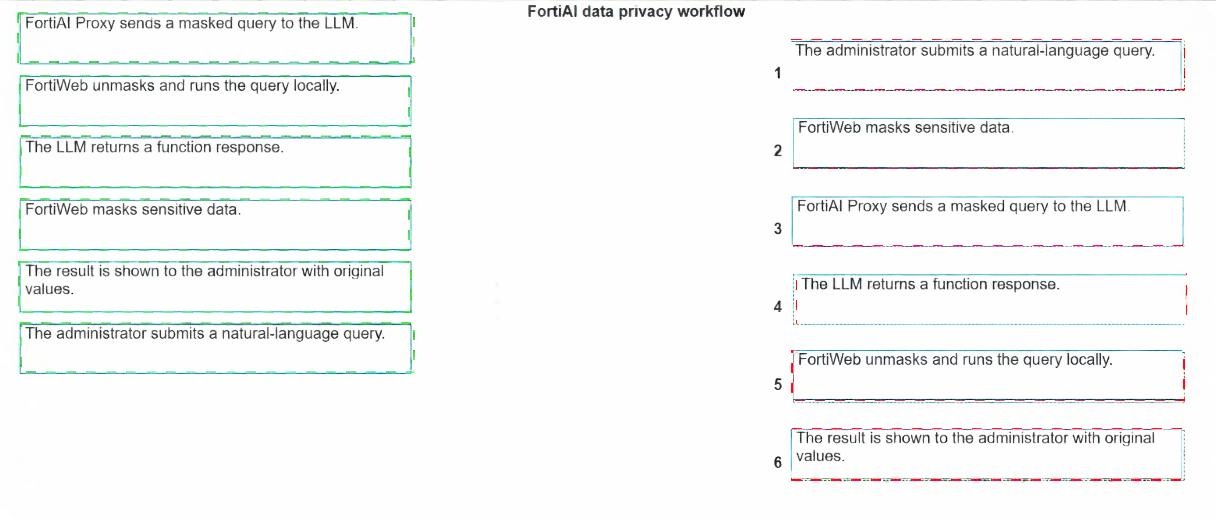
The FortiAI data privacy workflow is designed to ensure sensitive data is never exposed to the large language model (LLM) while still allowing the administrator to use natural language queries. The process follows this exact sequence:
The administrator submits a natural-language query. The workflow begins when an administrator types a query into the FortiAI assistant interface.
FortiWeb masks sensitive data. Before the query is sent to the LLM, FortiWeb scans and identifies sensitive information (e.g., IP addresses, user credentials, session tokens) and replaces them with placeholder values (like 123-456 shown in the exhibit). This ensures no private data leaves the FortiWeb environment.
FortiAI Proxy sends a masked query to the LLM. The FortiAI Proxy (which is a separate virtual machine) receives the masked query and securely forwards it to the external LLM for processing. The LLM never sees the actual sensitive data, only the placeholders .
The LLM returns a function response. The LLM processes the masked query and returns a function response that may include the placeholder values. This response is sent back through the FortiAI Proxy.
FortiWeb unmasks and runs the query locally. FortiWeb receives the response and reverses the masking process—it replaces the placeholder values with the original sensitive data and then executes any generated command or script locally on the FortiWeb appliance.
The result is shown to the administrator with original values. After the local execution is complete, FortiWeb displays the final result to the administrator with all original values intact, providing a seamless and secure experience.
❌ Why Other Mappings Are Incorrect
Any deviation from this sequence would break the logical flow of the privacy protection mechanism. The order is critical: masking must happen before the query leaves FortiWeb, and unmasking can only occur after the LLM's response is received. Placing "FortiWeb masks sensitive data" after the LLM processes the query would expose sensitive data to the external model, defeating the purpose of the feature. Similarly, "FortiWeb unmasks and runs the query locally" cannot occur before the LLM returns its function response, as there would be nothing to unmask and execute.
📚 Reference
Fortinet Documentation: FortiAI data privacy workflow – Describes the end-to-end process of masking sensitive data before sending queries to the LLM and unmasking after the LLM returns a response .