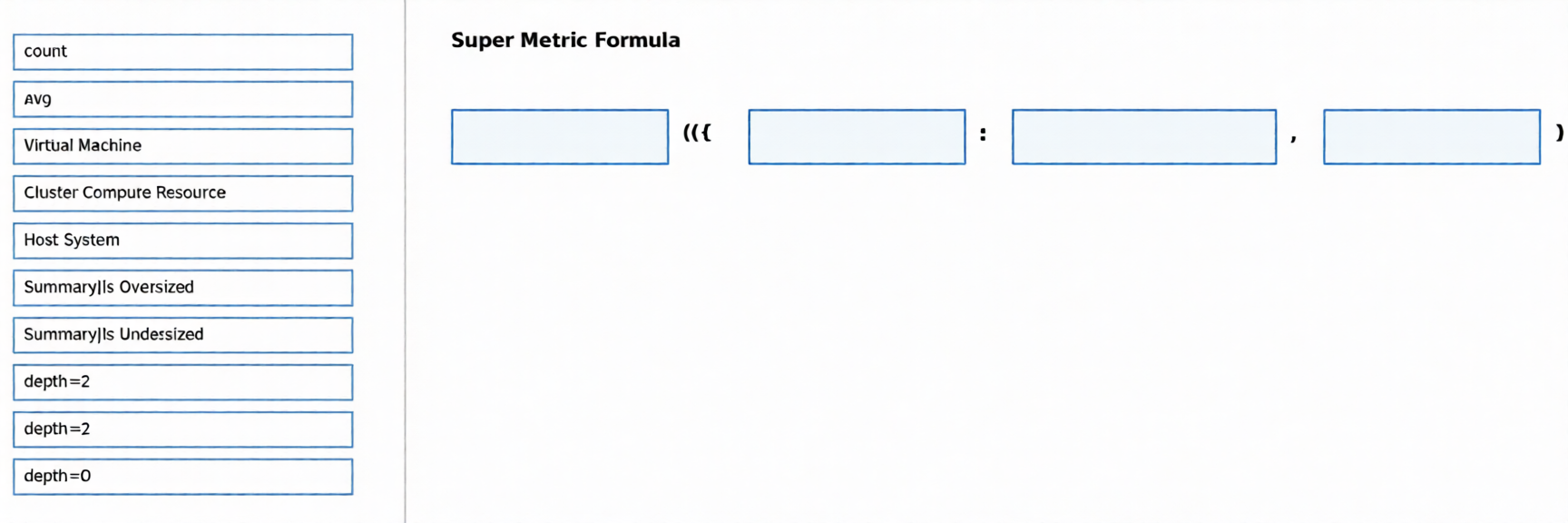
An administrator has been tasked with creating a new report in VCF Operations that details the total number
of oversized virtual machines within a VMware Cloud Foundation workload domain cluster.
The following information has been provided:
Each VCF workload domain cluster has a separate VCF Operations policy assigned.
Only the metrics required for each object should be collected.
Drag and Drop the four components to complete the Super Metric formula required for the report. (Choose
four.)
Show answerHide answer
Explanation
Explanation:
To generate an aggregate metric at the Cluster level that counts specific descendant attributes, VCF Operations uses an explicit mathematical syntax:
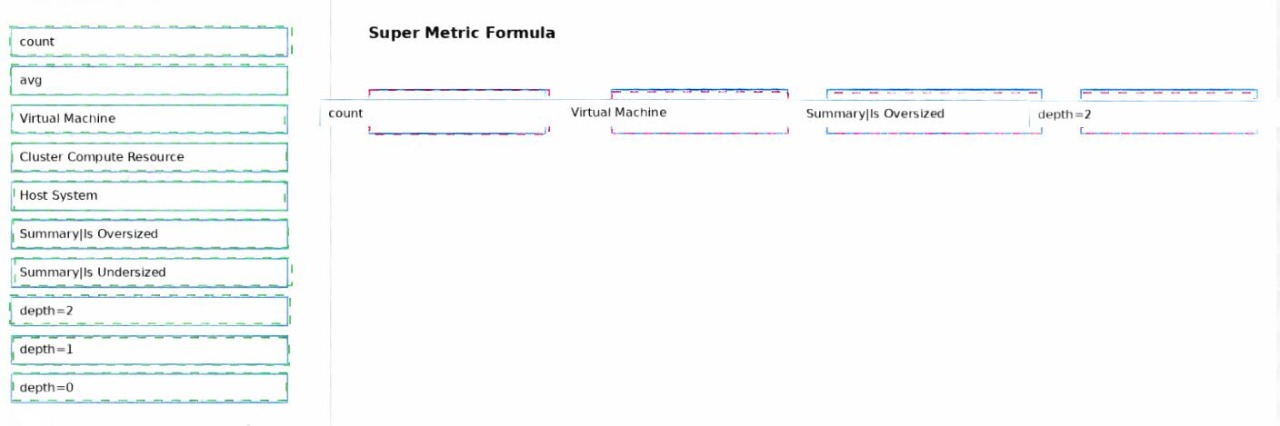
count function: Establishes the mathematical operation to calculate the absolute number of objects that meet the matching criteria inside the container array.
Virtual Machine : Summary|Is Oversized selection: Restricts the count engine strictly to the target child resource type (Virtual Machine) and checks against the specific boolean or numeric indicator metric path (Summary|Is Oversized) that flags over-provisioned sizing behavior.
depth=2 constraint: In a VCF workload domain hierarchy, a Cluster Compute Resource sits above the resource pools and parent configurations. Defining a depth of 2 ensures the query travels down through the resource pool abstraction layers to successfully evaluate individual parent-child leaf objects (the VMs) underneath that cluster branch.
Why Other Options Are Incorrect
avg misplacement: Using avg would compute the average value of a metric rather than totaling the actual quantity of anomalous virtual machines.
depth=0 or depth=1 misplacement: Setting depth to 0 looks only at the cluster itself, while 1 stops at immediate child objects (like resource pools), failing to see or count the underlying virtual machines.
Summary|Is Undersized misplacement: This checks for resource starvation issues, directly violating the administrative task to isolate oversized systems.
References
VMware Cloud Foundation 9.0 Performance and Capacity Optimization Guide: Creating Advanced Performance Reports -> Utilizing Super Metrics.
VMware Aria Operations User Guide: Building Super Metric Formulas -> Syntax Rules for Count Functions, Object Types, and Resource Depth Scopes.