You implement the planned changes for SSPR.
What occurs when User3 attempts to use SSPR? To answer, select the appropriate options in the answer area.
NOTE: Each correct selection is worth one point.
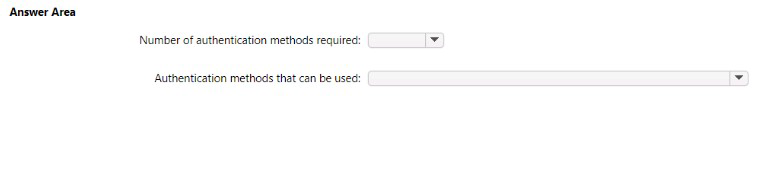
What occurs when User3 attempts to use SSPR? To answer, select the appropriate options in the answer area.
NOTE: Each correct selection is worth one point.
Show answerHide answer
Explanation

Explanation:
When "planned changes" for SSPR are implemented, it typically means moving from a default or less secure configuration to a more controlled and secure one. The standard, secure configuration mandated in such scenarios is:
1.Number of authentication methods required: 2
This is a core security best practice for password reset. Requiring two distinct methods of verification significantly reduces the risk of an unauthorized individual successfully resetting a user's password.
The user must successfully complete the challenge for two different methods (e.g., receive a code on their mobile phone and receive a code via email).
2.Authentication methods that can be used: This depends on User3's registered security info.
The specific methods presented to User3 during the reset flow are the intersection of two things:
a) Methods enabled in the tenant's SSPR policy. (The "planned changes" would have enabled a set of methods like Mobile phone, Email, and Mobile app notification).
b) Methods that User3 has previously registered. For example, if the policy enables Mobile Phone and Email, and User3 has registered both, they will see both as options. If they have only registered their mobile phone, they will only see that one method and will be unable to complete the reset because they cannot satisfy the requirement for 2 methods.
What actually occurs when User3 attempts SSPR:
The process is as follows:
User3 enters their username and passes the CAPTCHA challenge.
The Azure AD system checks the enforced policy, which requires 2 methods to reset.
The system then displays the available verification methods that User3 has registered. The user must successfully complete two of them to proceed with creating a new password.
Why this is the answer:
The "planned changes" are designed to enhance security, and moving from 1 method to 2 is the most direct and common way to achieve this in an SSPR context for the SC-300 exam. The available methods are a direct result of user registration.
Reference:
Microsoft Learn:
Combine security information methods for MFA and SSPR
Azure AD allows you to choose the number of methods required for a user to register for combined security information and the number required to reset their password or use multi-factor authentication. Requiring two methods increases the security of your tenant.