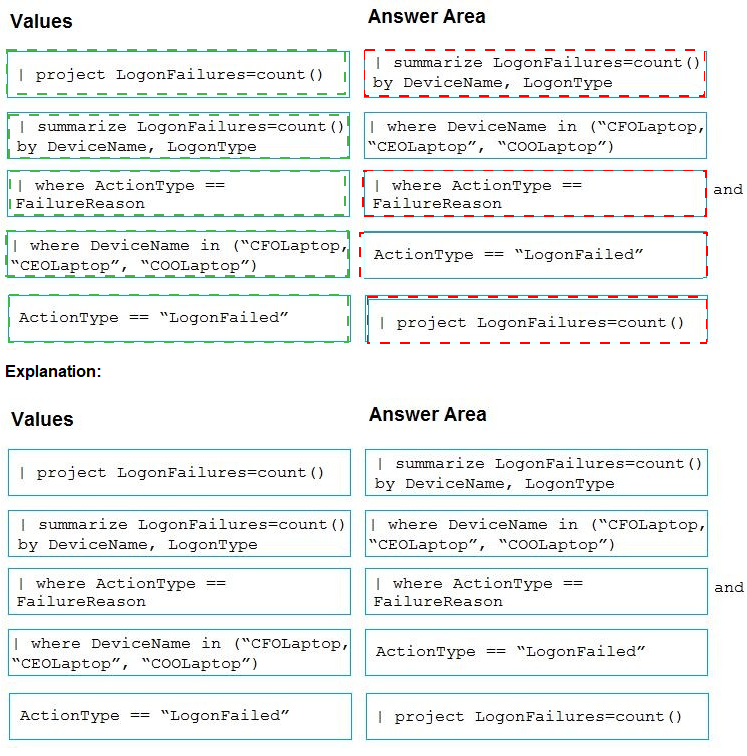
Correct answer: D
Modify the alert settings in Defender for Cloud.
Explanation
Explanation:
You can use alerts suppression rules to suppress false positives or other unwanted
security alerts from Defender for Cloud.
Note: To create a rule directly in the Azure portal:
1. From Defender for Cloud's security alerts page:
Select the specific alert you don't want to see anymore, and from the details pane, select
Take action.
Or, select the suppression rules link at the top of the page, and from the suppression rules
page select Create new suppression rule:
2. In the new suppression rule pane, enter the details of your new rule.
Your rule can dismiss the alert on all resources so you don't get any alerts like this one in
the future.
Your rule can dismiss the alert on specific criteria - when it relates to a specific IP address,
process name, user account, Azure resource, or location.
3. Enter details of the rule.
4. Save the rule.
Reference: https://docs.microsoft.com/en-us/azure/defender-for-cloud/alerts-suppressionrules