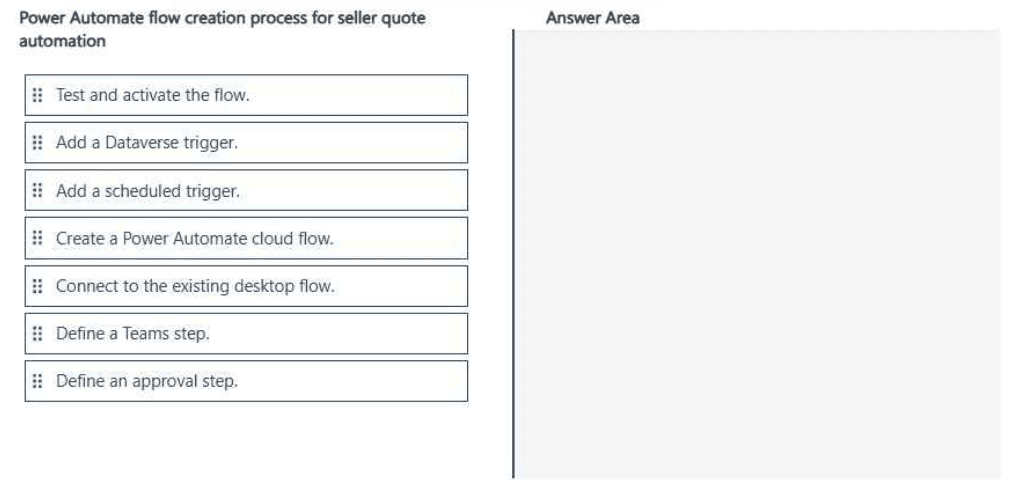
You need to automate the quote approval process.
Which four actions should you perform in sequence? To answer, move the appropriate
actions from the list of actions to the answer area and arrange them in the correct order.
Show answerHide answer
Explanation
Explanation:
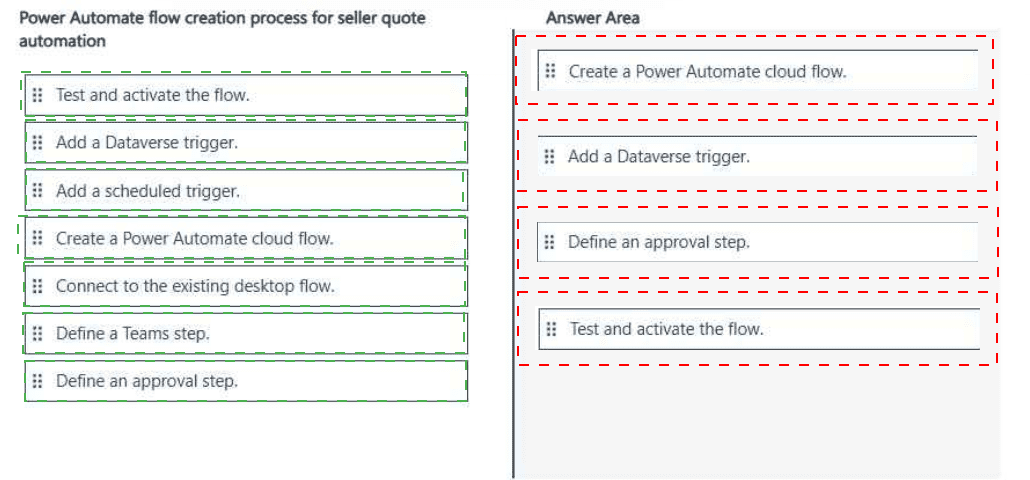
The quote approval process in Dynamics 365 Sales can be automated using Power Automate cloud flows. The correct sequence follows the standard process for creating a flow that detects when a quote requires approval and then routes the quote through an approval workflow.
1. Create a Power Automate cloud flow – This is the foundational step. You must first create a new cloud flow in Power Automate. An automated cloud flow is appropriate when the process needs to start automatically in response to a Dataverse event.
2. Add a Dataverse trigger – After creating the flow, add an appropriate Dataverse trigger, such as When a row is added, modified, or deleted, and configure it for the Quote table. The trigger can detect relevant changes, such as a quote being submitted for approval, and start the flow automatically.
3. Define an approval step – Once the trigger is configured, add the Start and wait for an approval action. This sends an approval request to the designated approver or approvers and pauses the flow until a response is received. The approval can include options such as Approve or Reject.
4. Test and activate the flow – After configuring the trigger and approval actions, test the flow using sample data to confirm that it works correctly. Once testing is successful, turn on the flow so it can automatically process quotes that meet the defined conditions.
Why Other Actions Are Not in Sequence:
Add a scheduled trigger – A scheduled trigger starts a flow according to a predefined schedule. Quote approval should normally be event-driven, so a Dataverse trigger is more appropriate than a scheduled trigger.
Connect to the existing desktop flow – Desktop flows are primarily used for desktop-based robotic process automation. They are not required for a standard Dataverse-based quote approval process using Power Automate cloud flows.
Define a Teams step – A Microsoft Teams action can be added for notifications or collaboration, but it is not required for the core approval process. The approval action itself manages the approval request and response.
References:
Microsoft Learn – Create an automated flow with a Dataverse trigger – Explains how Power Automate cloud flows can be triggered by events in Microsoft Dataverse.
Microsoft Learn – Create and manage approval flows – Describes how approval actions can be incorporated into Power Automate workflows.