Schedule a pod as follows:
Name: nginx-kusc00101
Image: nginx
Node selector: disk=ssd
Show answerHide answer
Explanation
Answer: See the solution below.
Explanation:
solution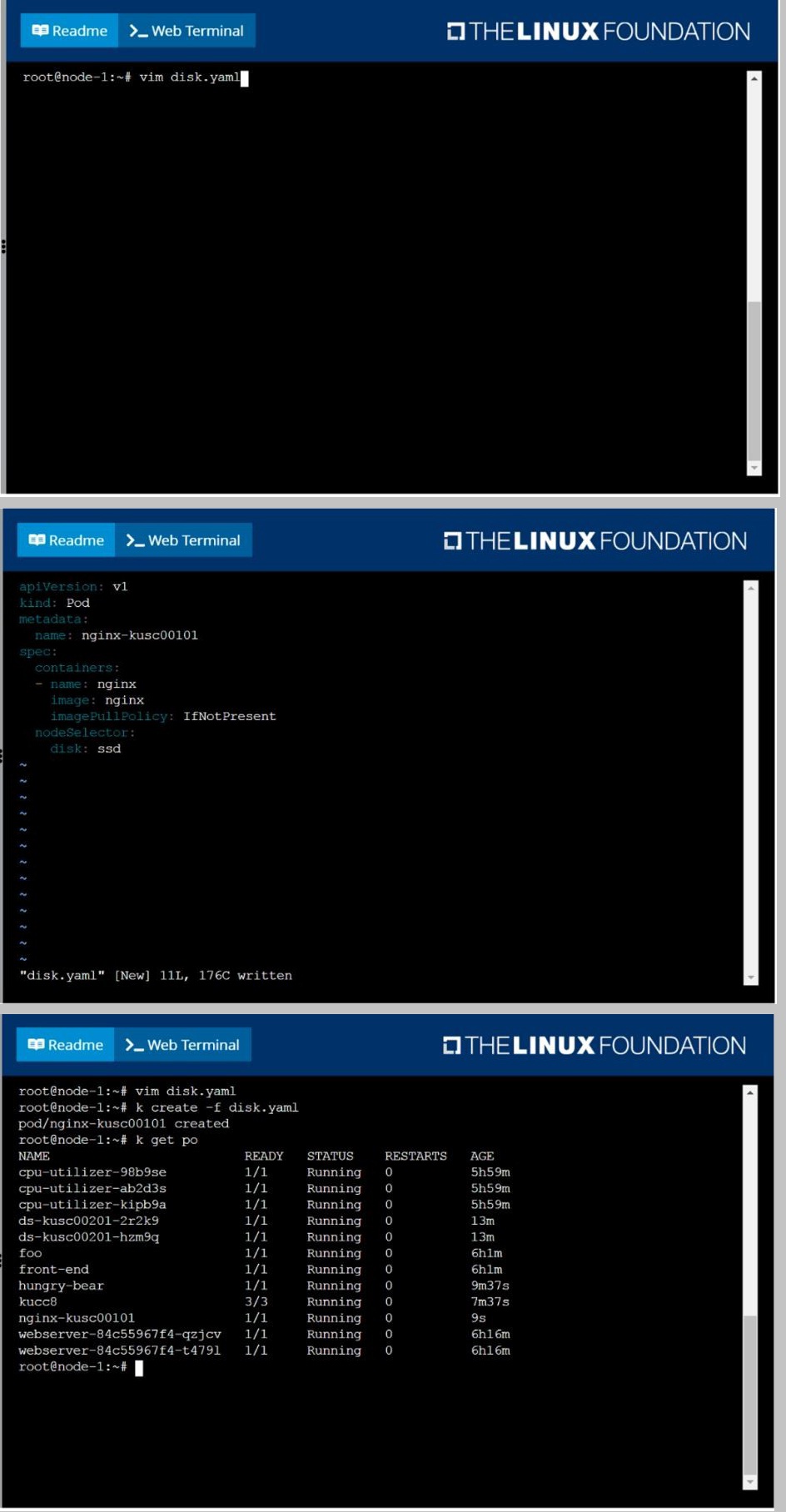
Certified Kubernetes Administrator (CKA) Program
Find out if you're ready for CKA. Take the free timed mock exam and get your score in minutes, or study the free CKA questions below with answers and explanations.
19 questions · 31 minutes · free, no sign-up
Schedule a pod as follows:
Name: nginx-kusc00101
Image: nginx
Node selector: disk=ssd
Answer: See the solution below.
Explanation:
solution
Create a Kubernetes secret asfollows:
Name: super-secret
password: bob
Create a pod namedpod-secrets-via-file, using theredisImage, which mounts a secret
namedsuper-secretat/secrets.
Create a second pod namedpod-secrets-via-env, using theredisImage, which exports
passwordasCONFIDENTIAL
Answer: See the solution below.
Explanation:
solution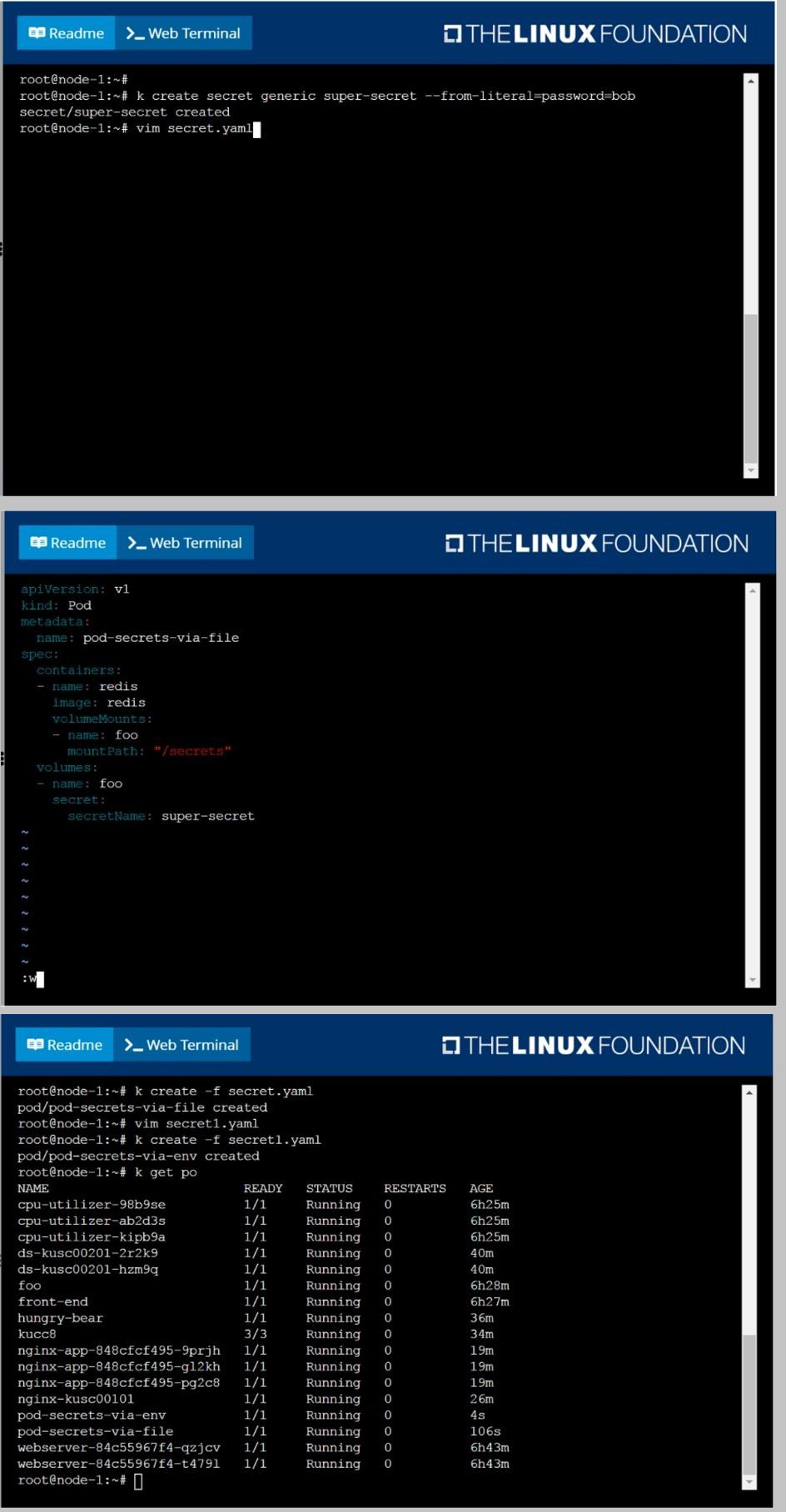
Create a deployment spec file thatwill:
Launch 7 replicas of thenginxImage with the labelapp_runtime_stage=dev
deployment name:kual00201
Save a copy of this spec file to/opt/KUAL00201/spec_deployment.yaml
(or/opt/KUAL00201/spec_deployment.json).
When you are done, clean up (delete)any new Kubernetes API object thatyou produced
during this task
Answer: See the solution below.
Explanation:
solution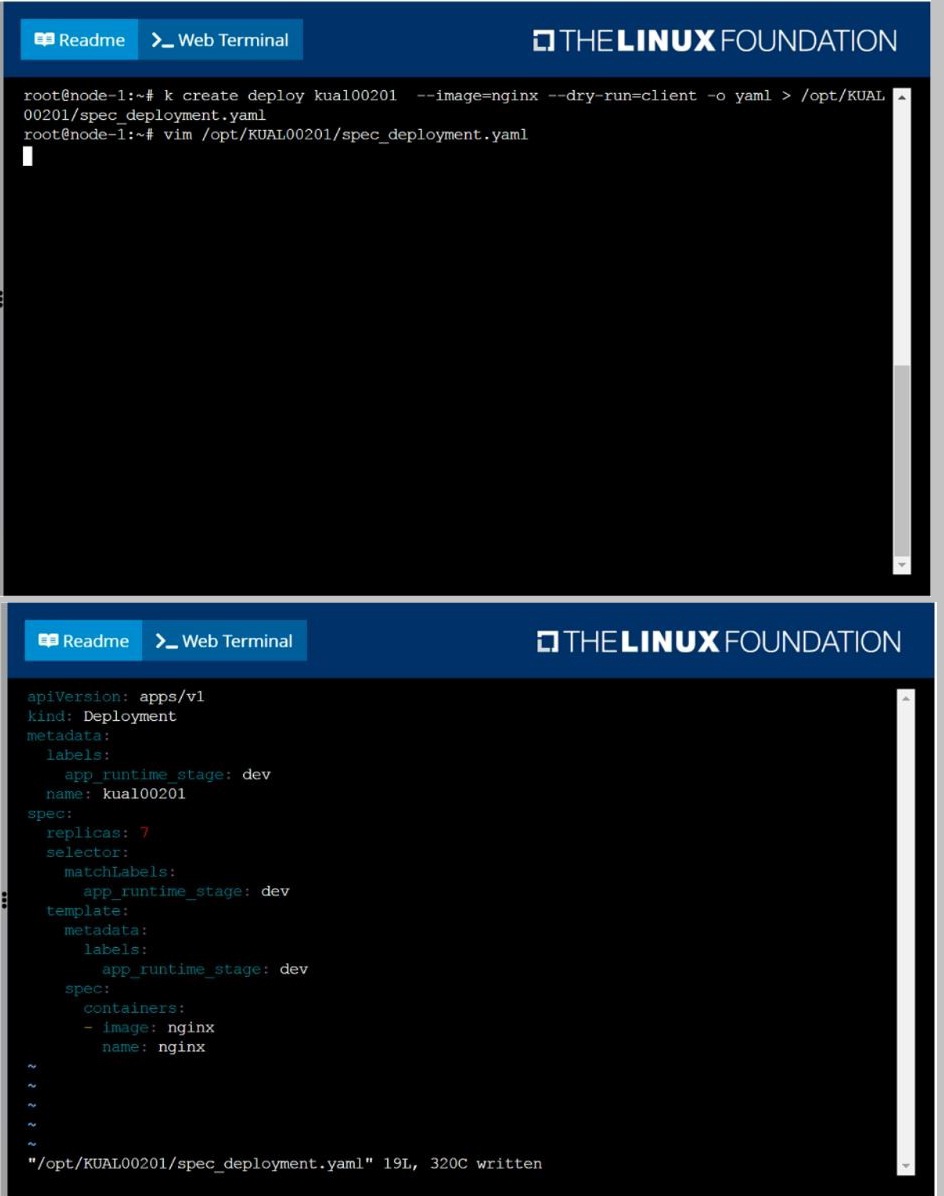
Create a pod that echo “hello world” and then exists. Have the pod deleted automatically
when it’s completed
Answer: See the solution below.
Explanation:
kubectl run busybox -image=busybox -it -rm -restart=Never -
/bin/sh -c 'echo hello world'
kubectl get po # You shouldn't see pod with the name "busybox"
List all the pods showing name and namespace with a json path expression
Correct answer: .
Answer: See the solution below.
Explanation:
kubectl get pods -o=jsonpath="{.items[*]['metadata.name',
'metadata.namespace']}"
A Kubernetes worker node, namedwk8s-node-0is in stateNotReady.Investigate why this is
the case, andperform any appropriate steps tobring the node to aReadystate,ensuring that
any changes are madepermanent.
You cansshto the failednode using:
[student@node-1] $ | sshWk8s-node-0
You can assume elevatedprivileges on the node with thefollowing command:
[student@w8ks-node-0] $ |sudo –i
Correct answer: .

Check the Image version of nginx-dev pod using jsonpath
Correct answer: .
Answer: See the solution below.
Explanation:
kubect1 get po nginx-dev -o
jsonpath='{.spec.containers[].image}{"\n"}'
Print pod name and start time to “/opt/pod-status” file
Correct answer: .
Answer: See the solution below.
Explanation:
kubect1 get pods -o=jsonpath='{range items[*]}{.metadata.name}{"\t"}{.status.podIP}{"\n"}{end}'
Create a busybox pod that runs the command “env” and save the output to “envpod” file
Correct answer: .
List all the pods sorted by name
Correct answer: .
Answer: See the solution below.
Explanation:
kubect1 get pods -sort-by=.metadata.name
Full-length mocks with the same number of questions and the same time limit as the real CKA exam. Every attempt draws a new set of questions from the full bank, so you can keep going until you pass comfortably.
Get full CKA mock exam