Cisco certification · Exam 350-401

350-401 Mock Exam

Implementing Cisco Enterprise Network Core Technologies (350-401 ENCOR)

Free 350-401 questions on Topic 2: Simulation, each with the answer and an explanation.

20 questions · 27 minutes · free, no sign-up

Topic 2: Simulation questions

1–8 of 8 free
Question 1
Show answerHide answer

Explanation

Explanation:

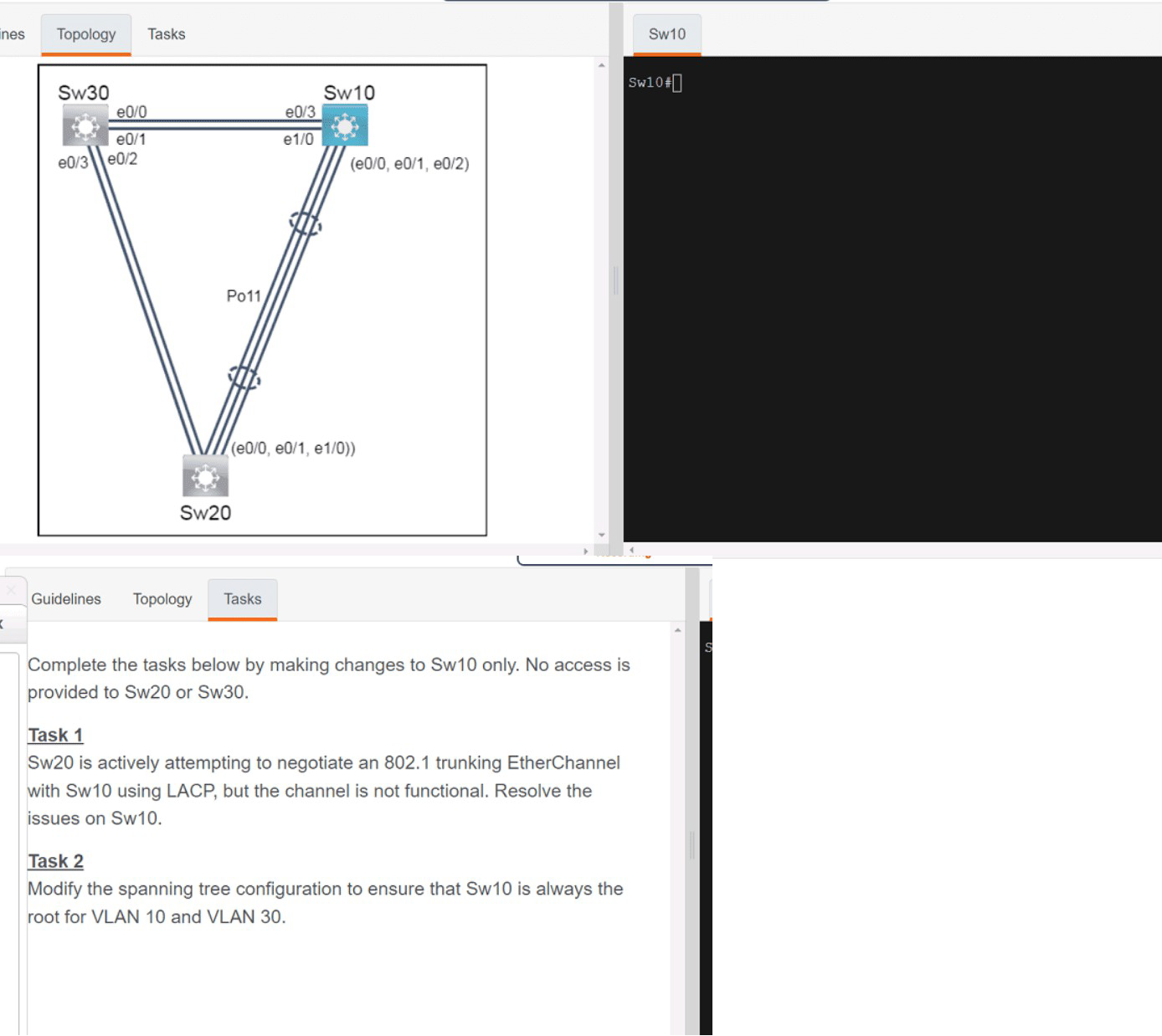
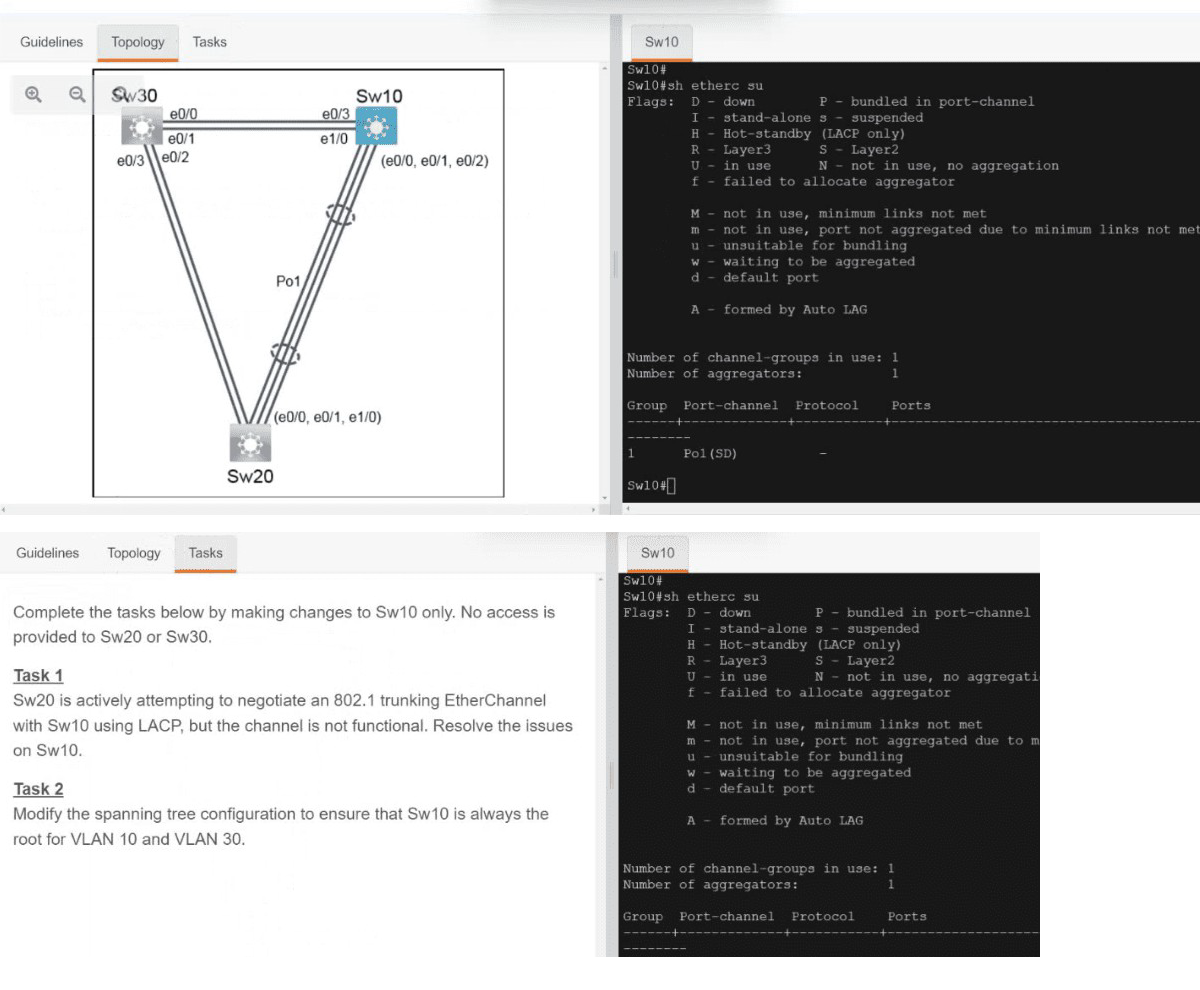
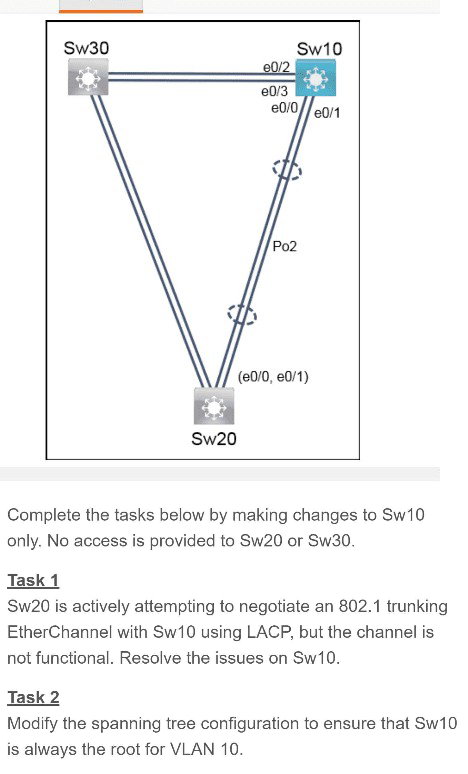
channel-group 2 mode active: Sets LACP to Active mode on Sw10, which will actively negotiate with Sw20 (which is also trying to negotiate).

Port-channel interface: No additional changes needed if it already exists; the key is ensuring LACP mode consistency.

If the issue persists, also verify that the interfaces are not err-disabled and that VLANs allowed on the trunk match.

✅ Task 2: Make Sw10 Always Root for VLAN 10
To ensure Sw10 is always the root bridge for VLAN 10, set its bridge priority lower than the default (32768). Use the following on Sw10:

plaintext
spanning-tree vlan 10 priority 4096

Explanation:

The default bridge priority is 32768. By setting the priority to 4096 (or any value lower than Sw20 and Sw30), Sw10 will become the root bridge for VLAN 10.

This change ensures that Sw10 is preferred over other switches even if they have identical configurations.

🔗 References

Cisco LACP Configuration Guide: channel-group mode active for LACP negotiation.

Cisco Spanning Tree Protocol Guide: spanning-tree vlan priority to set root bridge preference.
Question 2
Show answerHide answer

Explanation

Explanation:
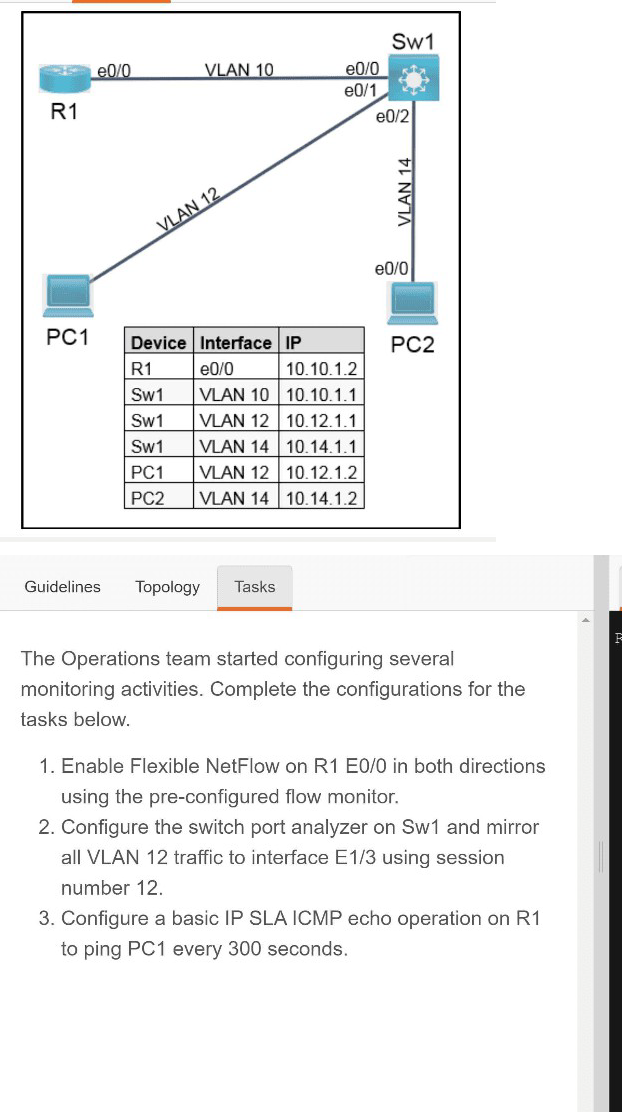
Solution:
R1
Config t
Int et0/0
Ip flow monitor Monitor-R1Flow input
Ip flow monitor Monitor-R1Flow output
Exit
Ip sla 1
Icmp-echo 10.12.1.2
Freq 300
Ip sla schedule 1 life foreve start-time now
Sw1
Config t
Monitor session 12 source vlan 12
Question 3
Show answerHide answer

Explanation

Explanation:
Solution:
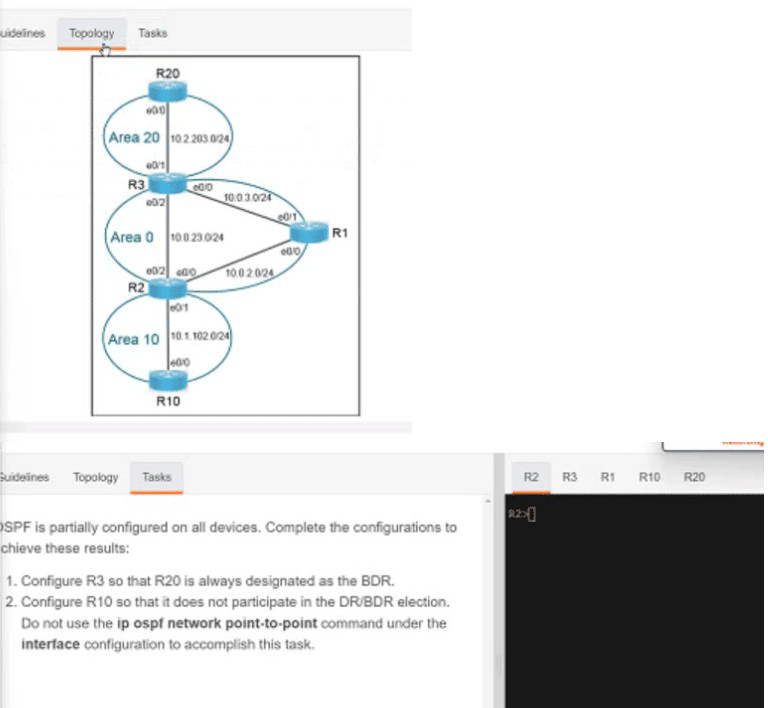
R3
Config#int et0/1
config-if#ip ospf priority 255
wr
R20
clear ip ospf process
yes
R10
int et0/0
ip ospf priority 0
wr
R2
clear ip ospf process
yes
Question 4
Show answerHide answer

Explanation

Explanation:
Solution:-
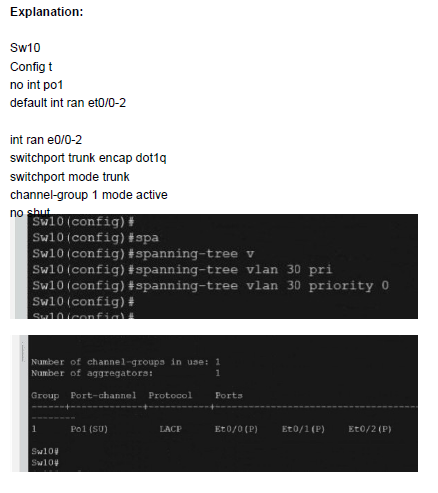
Default int range et0/0-1
Int range e0/0 – 1
Sw trunk encap dot1
Switch mode trunk
Channel-group 2 mode passive
No shut
Spanning-tree vlan 10 priority 0
Spanning-tree vlan 30 priority 0
Question 5
Show answerHide answer

Explanation

Explanation:
Solution:
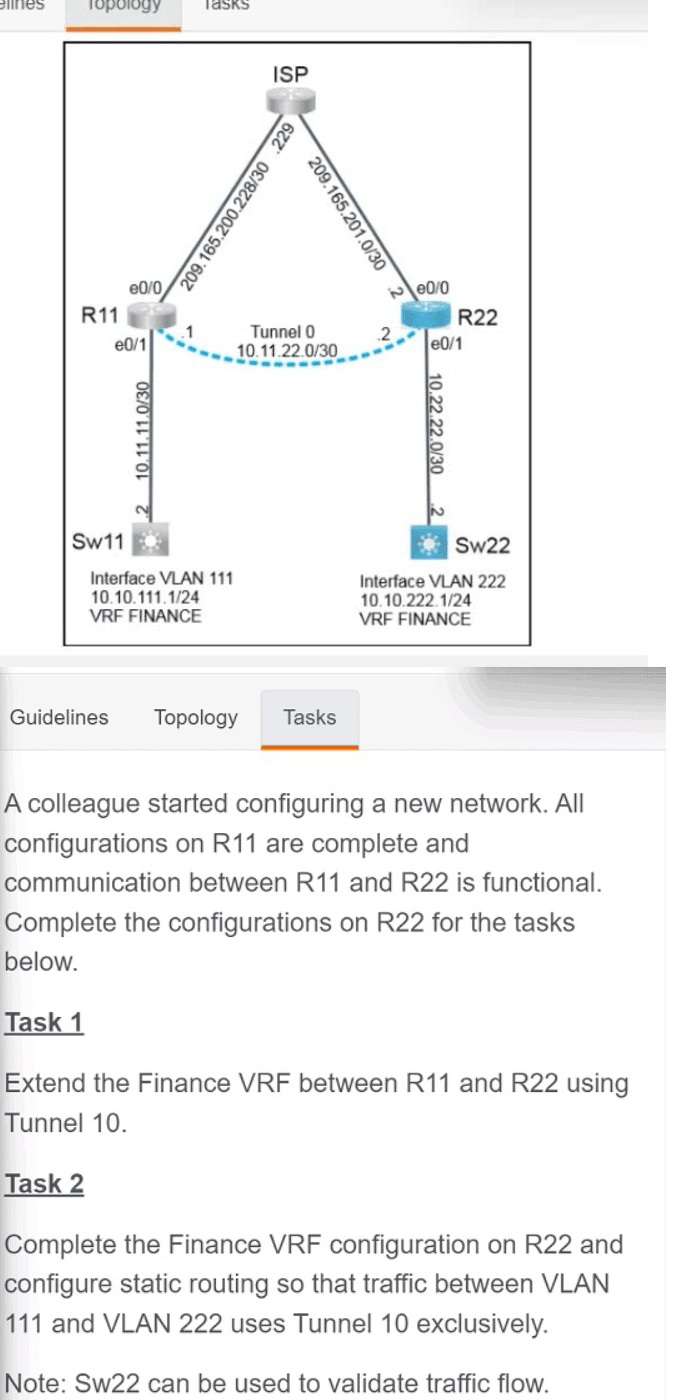
R22
config t
int tunn0
vrf forwarding FINANCE
ip add 10.11.22.2 255.255.255.0
tunn so e0/0
tunn dest 209.165.200.230
no shut
int et0/1
vrf forward FINANCE
ip add 10.22.22.1 255.255.255.252
no shut
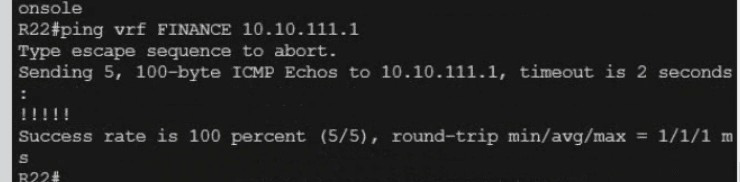
ip route vrf FINANCE 10.10.111.0 255.255.255.0 tunn0
wr
Question 6
Show answerHide answer

Explanation

Explanation:
Solution:
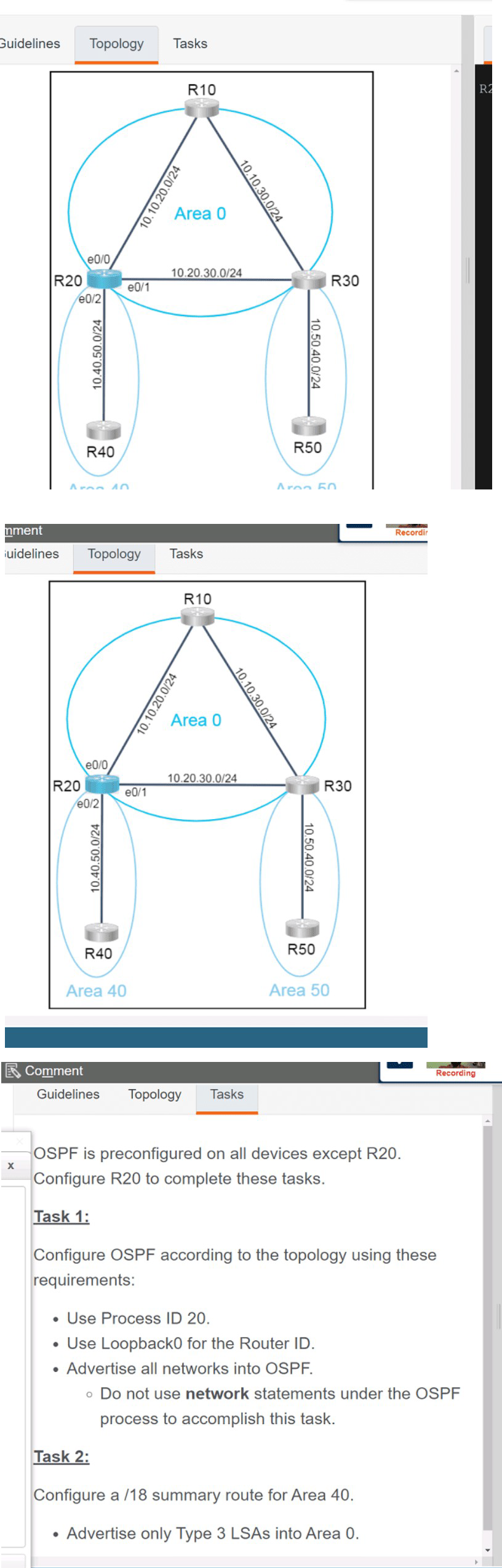
R30
Config t
router ospf 100
router-id 10.0.1.30
int ran lo0 , e0/0-1
ip ospf 100 a 0
exit
int et0/2
ip ospf 100 a 50
exit
router ospf 30
area 50 range 10.10.0.0 255.255.192.0
area 50 range 10.50.0.0 255.255.192.0
end
wr
Question 7
Show answerHide answer

Explanation

Question 8
Show answerHide answer

Explanation

Explanation:
Solution:
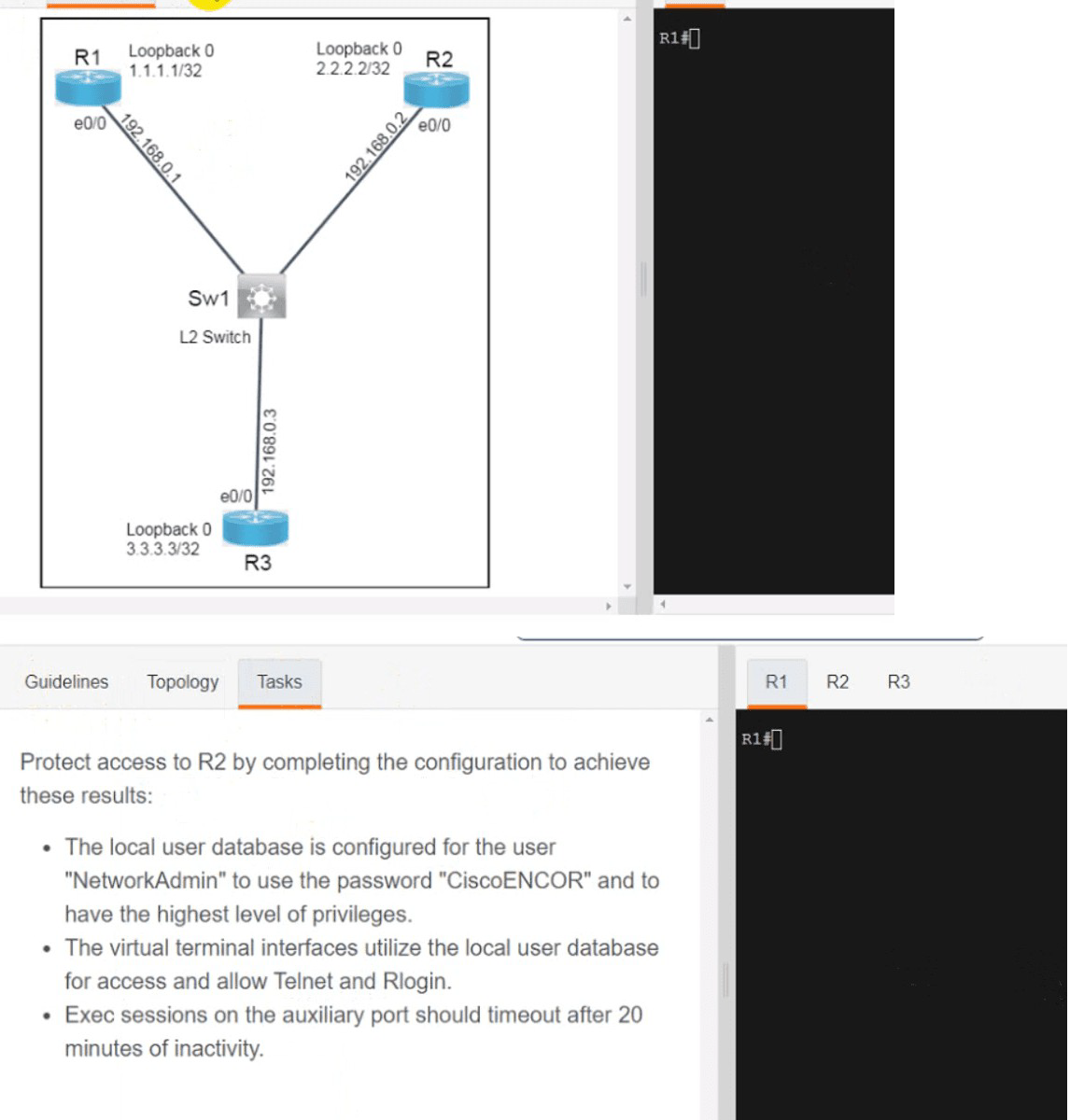
R2
config t
username NetworkAdmin privilege 15 password CiscoENCOR
line vty 0 4
login local
transport input telnet rlogin
exec-timepit 20

That's the last free question in Topic 2: Simulation

You've seen the free 30% (8 of 29 questions). Full access unlocks every question and full-length 350-401 mock exams (90 questions, 120 minutes), a different mock on every attempt.

Unlock full mock exam
Full mock exam

Sit the 350-401 exam before exam day

Full-length mocks with the same number of questions and the same time limit as the real 350-401 exam. Every attempt draws a new set of questions from the full bank, so you can keep going until you pass comfortably.

Get full 350-401 mock exam
  • 90questions per mock
  • 120 mintime limit
  • 459questions in the bank
  • Newmock on every attempt