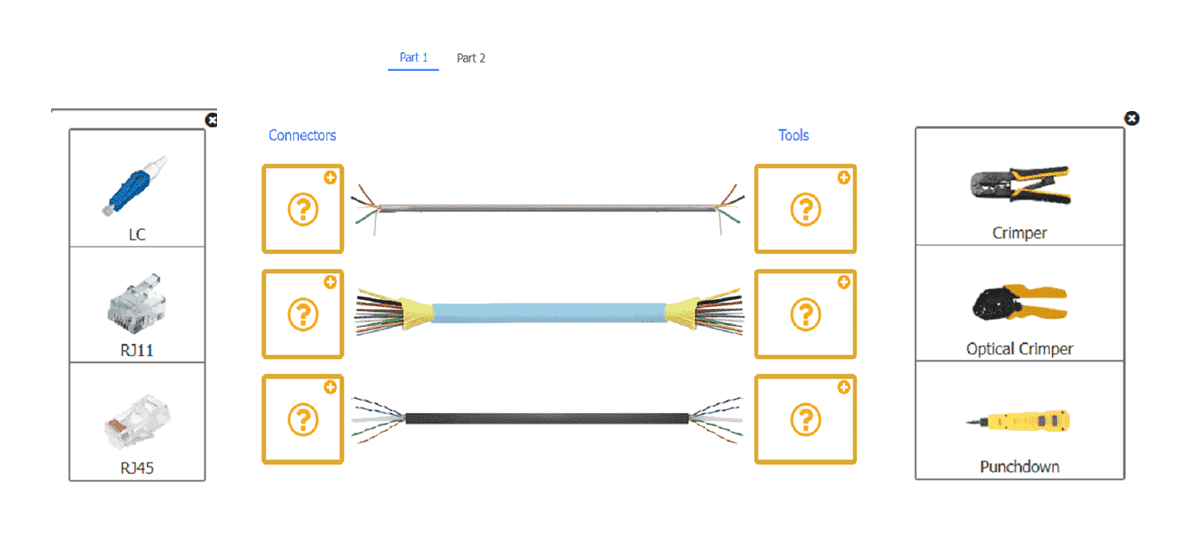
A small ISP has hired a new technician Joe, the new technician, is being trained to configure customers* home networks The trailing instructor gives me technician a starter kit with cables, cable ends, and other network equipment and asks mm to build a working network.
The computer should be connected to have internet connectivity and the phone should be connected to have a dial tone.
INSTRUCTIONS
Use the appropriate cables. cable ends, tools and equipment to configure the network ana connect an components accordingly
There are 3 steps and the simulation starts on step 1.
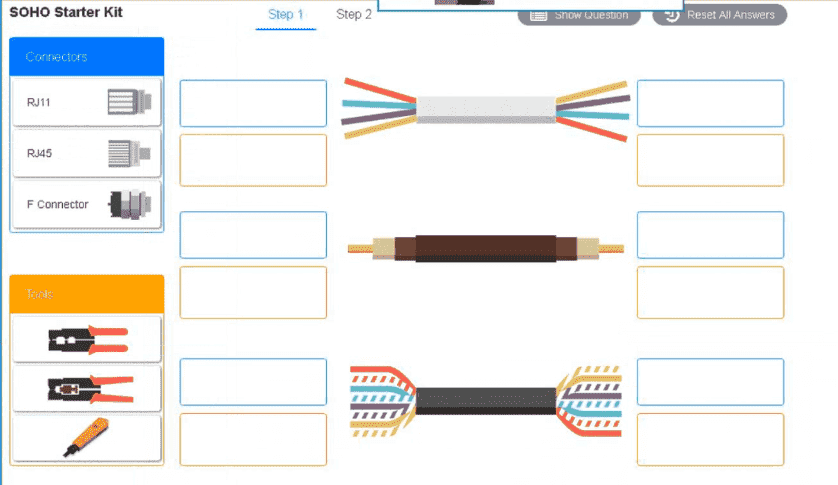
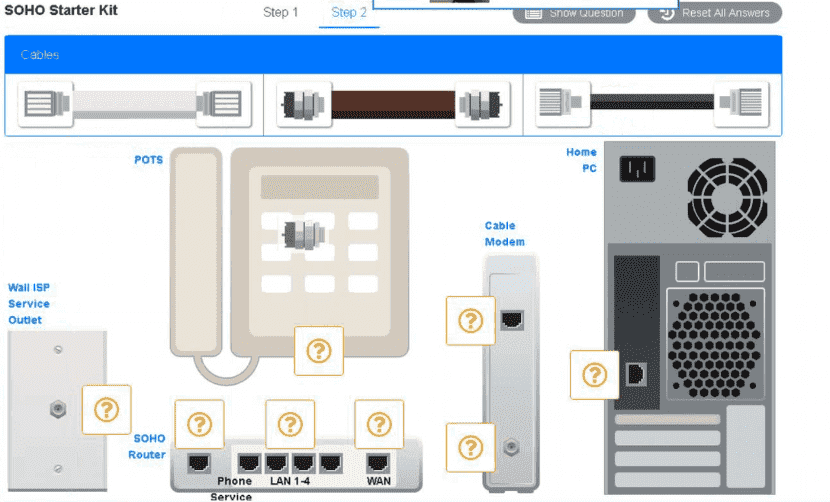
The computer should be connected to have internet connectivity and the phone should be connected to have a dial tone.
INSTRUCTIONS
Use the appropriate cables. cable ends, tools and equipment to configure the network ana connect an components accordingly
There are 3 steps and the simulation starts on step 1.
Show answerHide answer
Explanation
Explanation:Step 1: Wall ISP Outlet → Cable Modem
Cable: Coaxial cable with F Connector
The F connector screws onto the cable modem's coaxial input, bringing the internet signal from the ISP into the modem.
Step 2: Cable Modem → Router WAN Port
Cable: Ethernet cable with RJ45 Connector
The modem converts the coaxial signal to digital Ethernet. Connect from modem's Ethernet port to router's WAN/Internet port.
Step 3: Router LAN → Home PC and Phone Service
Home PC: Ethernet cable with RJ45 Connector from router LAN port to PC
Phone Service: Telephone cable with RJ11 Connector from router phone port to POTS
Explanation:
Each connector serves a specific purpose: F Connector for coaxial cable internet, RJ45 for Ethernet networking (larger, 8-pin), and RJ11 for telephone service (smaller, 4-pin/6-pin). Using the wrong connector would prevent connectivity—RJ11 won't fit in RJ45 ports, and vice versa. This configuration provides both internet access to the PC and a dial tone to the phone.
Why other connectors are incorrect:
RJ11 in Ethernet ports: Too small, won't make proper contact
RJ45 in phone ports: Too large, won't fit
F Connector on Ethernet: Incompatible connector types
Reference:
CompTIA A+ Core 1 (220-1201) Objective 3.1: "Given a scenario, connect and configure peripherals and ports... Connector types including RJ11 (phone), RJ45 (Ethernet), and F-type (coaxial)."